
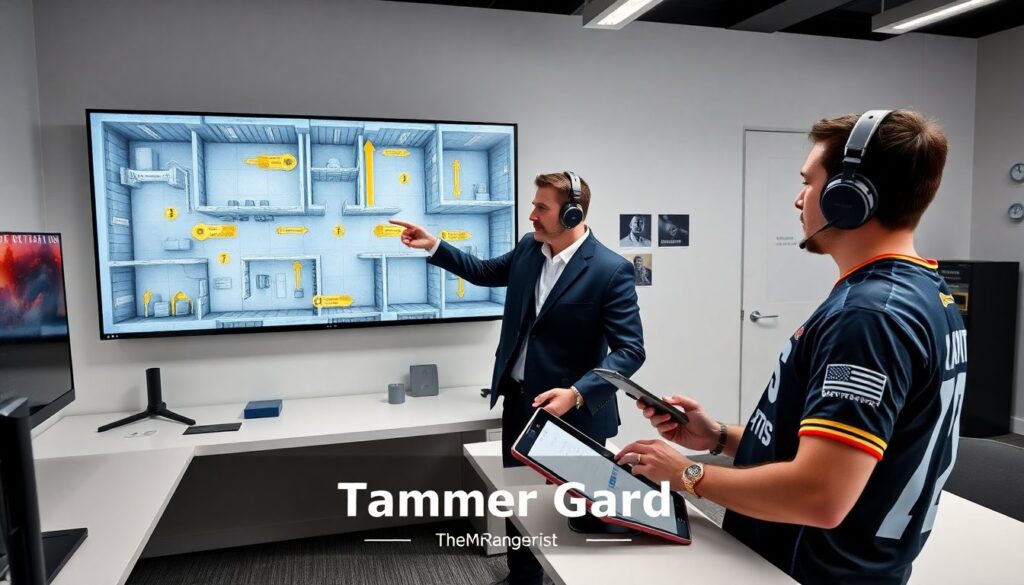
TheMrRangerist created the titanium chamber grid map to change player strategy quickly. He explains map layout, spawn points, and cover zones. The guide shows how the titanium chamber grid helps teams control objectives. Players learn which routes matter and which positions provide reliable cover. This introduction sets clear goals for installation, setup, and in-match use of the titanium chamber grid.
Key Takeaways
- The titanium chamber grid, created by TheMrRangerist, is a custom map mod that emphasizes close-quarters combat and strategic route control to enhance team tactics.
- Mastering the titanium chamber grid involves understanding spawn points, elevation effects, and precise utility deployment for better area denial and faster rotations.
- Installation requires careful version matching and backup of original files to prevent conflicts and maintain synchronization across teams.
- Optimizing client-side settings, including custom crosshairs and audio presets, improves reaction times and navigation through tight corridors in the titanium chamber grid.
- Advanced tweaks like adjusting collision padding, using loadout presets per spawn zone, and adding mini-map overlays help refine gameplay and team coordination.
- Regular updates and patches from TheMrRangerist fix balance issues and spawn glitches, making it essential to keep the titanium chamber grid mod current for the best tactical experience.
What Titanium Chamber Grid Is And Why It Matters
The titanium chamber grid is a custom map mod by TheMrRangerist. It places metal-paneled rooms and narrow corridors into a standard arena. The design forces close-quarters engagements and rewards route control. Teams that master the titanium chamber grid gain faster rotations and better control over choke points.
He positioned key landmarks near resupply stations. This placement shortens recovery time and raises the value of holding midline sectors. The map uses vertical layers, so sightlines change with elevation. Players who use elevation on the titanium chamber grid see clearer firing lanes and safer flanks.
TheMrRangerist balanced spawn locations to reduce spawn-camping. He offset spawn points and added cover near exits. This choice gives attacking teams clear options to push without instant exposure. It also creates predictable timing windows. Teams can measure those timing windows and plan synchronized pushes.
The titanium chamber grid also alters utility use. Grenades travel differently through vents and metal corridors. Smoke and flash devices behave in tighter arcs. Players who study those effects will place utility for maximum delay and area denial. The map rewards precise utility placement more than raw aim.
The titanium chamber grid affects weapon choices. Short-barrel weapons and shotguns excel in close lanes. Scoped rifles perform well on elevated platforms and long corridors. Teams that adapt their loadouts to the titanium chamber grid gain a tactical edge. TheMrRangerist added small environmental cues that hint at optimal loadouts for each sector.
Step-By-Step Installation And Configuration For Players
Download the titanium chamber grid file from the official mod page. Verify the file hash before installation. He recommends keeping a clean backup of the original map files. This step prevents data loss if the mod conflicts with updates.
Place the titanium chamber grid mod into the game’s custom levels folder. The path varies by platform. On PC, users drop the folder into the game directory under /mods/maps. Console users follow the platform-specific mod import steps. After placement, restart the game to let the engine register the titanium chamber grid.
Open the game’s map selector and choose the titanium chamber grid. Confirm the map version in the match lobby. TheMrRangerist tags each release with a version number and change log. Players should match version numbers across their team to avoid sync errors.
Adjust server settings for the titanium chamber grid. Reduce tick rate only if the server cannot hold standard rates. Set spawn delay to the recommended value in the map notes. He provides suggested round times and respawn windows to keep pacing fair.
Configure audio and visual settings for the titanium chamber grid. Metal corridors increase reverb. He suggests lowering ambient sound levels to hear footsteps more clearly. Increase contrast slightly to spot enemies against metallic textures.
Test the titanium chamber grid in a private match before public play. Walk every major route and time crossovers. He advises recording a short demo of two practice rounds for review. This demo helps teams quantify timing and refine callouts.
Keep the titanium chamber grid updated. TheMrRangerist posts patch notes and hotfixes on the mod page. Install patches promptly. Patches often fix spawn issues and balance problems that affect tactical choices.
Optimization Tips, Common Issues, And Advanced Tweaks
Tune client-side settings to reduce input lag on the titanium chamber grid. Lower frame drops by capping background processes. He recommends a stable frame rate over sharp graphics for consistent aim.
Use custom crosshair and audio presets for the titanium chamber grid. A thin crosshair helps in tight corridors. Directional audio improves enemy detection on metal surfaces. Players report faster reaction times after these tweaks.
Map-specific binds help players move faster in the titanium chamber grid. Bind a quick-peak key for corner checks. Bind a jump-spot key for consistent vaults on ledges. These binds reduce hesitation and improve team tempo.
Common issue: desynced textures after updates. Clear the game cache and reapply the titanium chamber grid mod to fix this. Common issue: mismatched game versions between hosts. Confirm version tags in the lobby before starting.
Advanced tweak: adjust server-side collision padding for vents and grates. Slight padding reduces stuck-player incidents without changing gameplay feel. Advanced tweak: add a custom mini-map overlay that highlights choke points on the titanium chamber grid. The overlay helps new players learn callouts faster.
Advanced tweak: create loadout presets per spawn zone. Assign a close-range kit for inner chambers and a long-range kit for elevated lanes. Teams that use loadout presets waste less time in buy phases and gain role clarity.
He recommends an iterative testing loop for advanced tweaks. Make one change, test three rounds, and record the results. Use those results to accept, reject, or refine the tweak. This method keeps changes measurable and repeatable.
If the titanium chamber grid shows performance drops, revert to default assets and reintroduce custom elements one at a time. This step isolates the cause quickly. Report persistent bugs to TheMrRangerist with clear reproduction steps and a demo file.